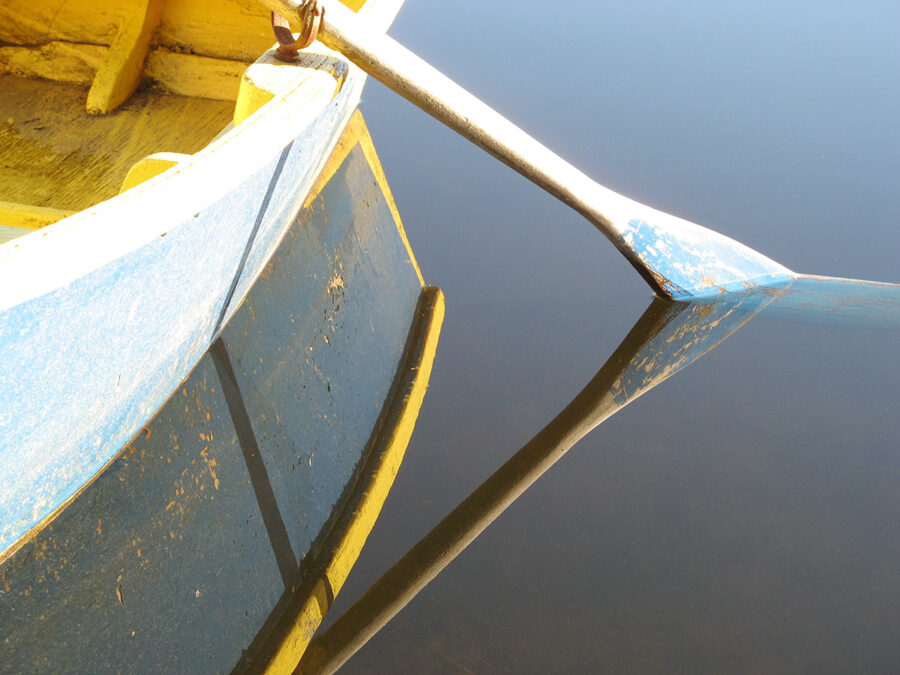
I have always preferred natural looking images. When I first began using a digital camera I was staunchly opposed to any use of Photoshop. If I couldn’t have done it in my darkroom I regarded it as cheating. Then in 2009 I took the photo I later titled The Oar. It was a perfect reflection on a lake, but it was marred by hundreds on tiny spots on the water. So, a fellow photographer, and former student, Allison Cordner, introduced me to the Clone tool on Photoshop. Slowly, tediously I got rid of every spot, until the pure, calm geometry of the image could be seen. I was sold! At least on that tool.
In addition to natural looking images, I’ve also always loved multiple exposures, which I did often in the darkroom by sandwiching my negatives. But with my Nikon digital camera I discovered I could combine two images using a function called Image Overlay. Ninety-nine percent of the time it just made an interesting photo, but once in a while what came out was pure magic.
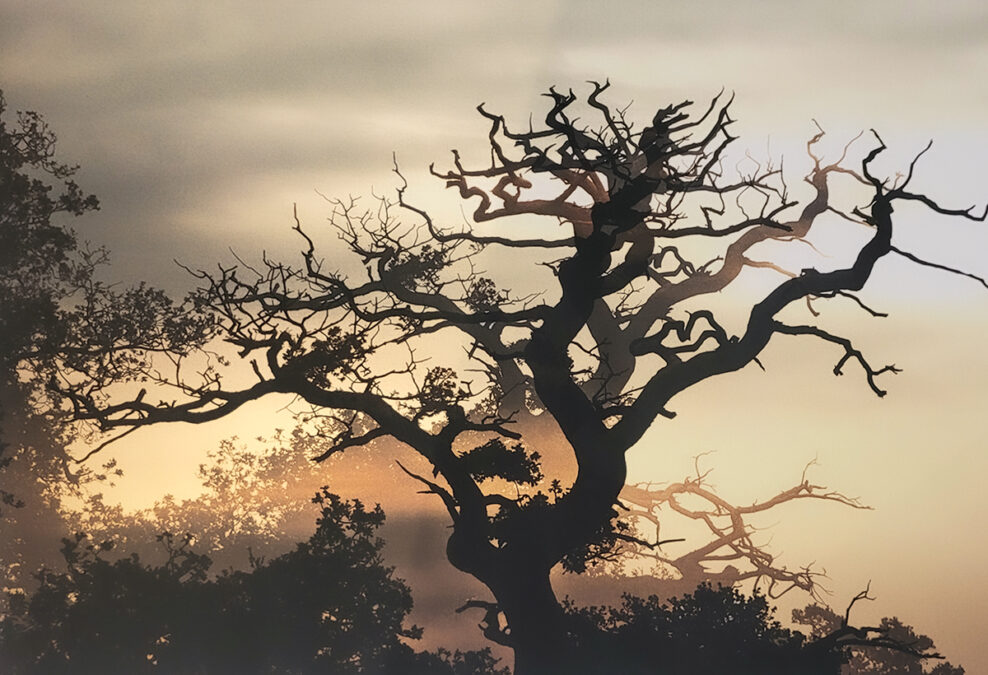
The first time I realized it was for The Tree of Life. In 2009 while visiting my friend Rosa Townsend I went for a sunset walk through Windsor Great Park. I saw this beautiful tree and took several pictures of it. That evening, I tried combining two of them in the camera, and the effect was unexpectedly stunning.
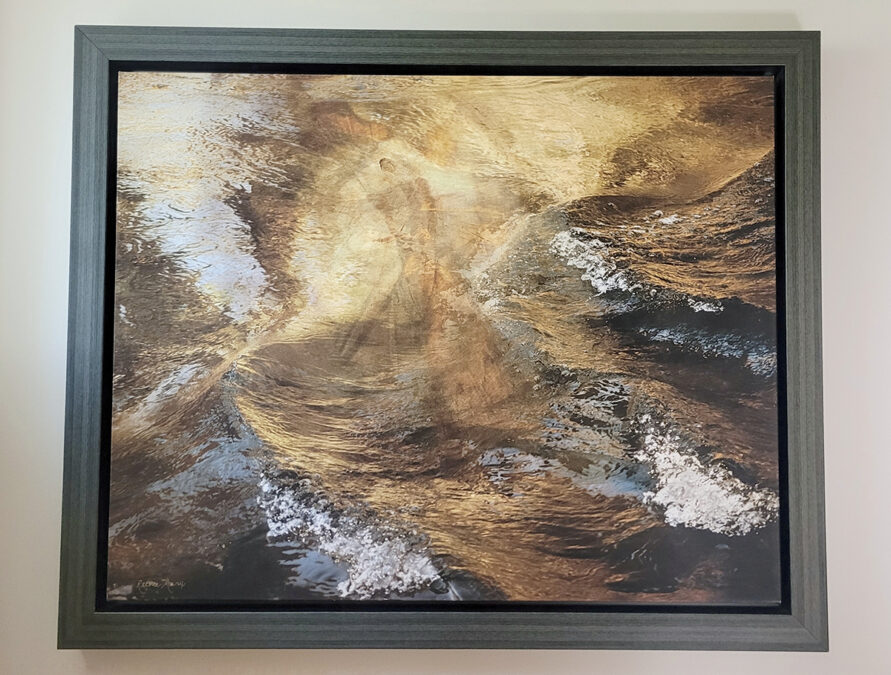
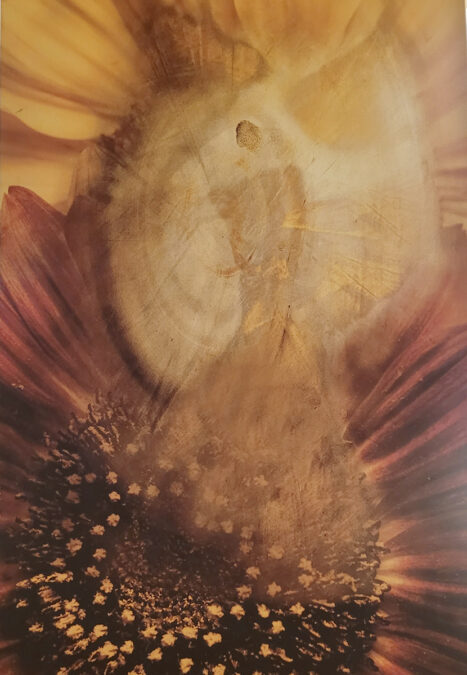
The next time I was successful with this technique was for the image I call Le Mirage. The base photo was from a large hand hammered brass plate that was hanging on a client’s wall. It had a suggestive image in the center of it that I was curious to see in combination with other images I had on that SD card. Two of them actually worked. One, Le Mirage, combined the suggestive image with a wave on Riviere Maskinonge, and the other, Spirit Dancer, incorporated a sunflower.
For many years this was all I used, but then, in 2014, after a trip to Chicago to visit my family and photograph bonsai trees at the Botanical Gardens, I came home and had a vision of the image I now call In the Beginning. I could see it in my mind’s eye, but I had no idea how to do it. I decided to talk to Stephanie Parent, who was working at Bogue Photo. She explained that in order to do it I would have to break my own rule, “never to use photoshop. ” I really wanted to see that image in reality so I said yes. Steph took me on as her student and showed me how to create layers, move things from one image to another and do simple blending.

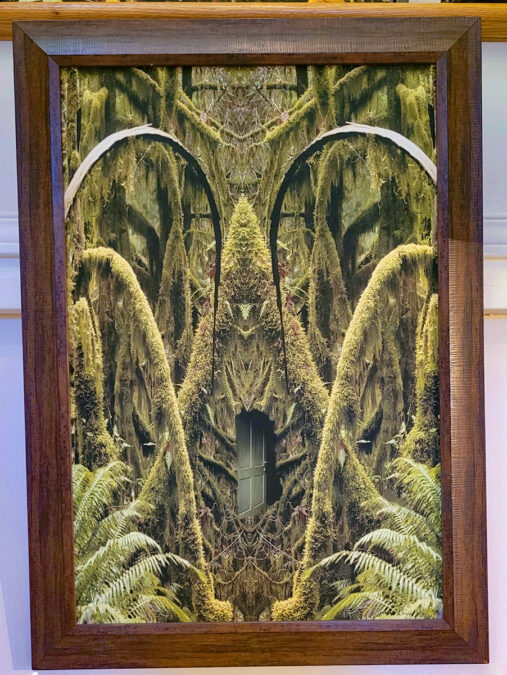
Once I did it with her, I was like a kid turned loose in the sandbox; I’d spend hours and hours creating imaginary images. However, much like with the Image Overlay photos, most were only interesting. One that ended up being really successful was Doorway to Wonderland. The basic image was from a forest in Oregon. I started by mirroring it, but the moment I saw it I knew there had to be a door. So, I found a door in my collection of doors of Vankleek Hill and carefully put it into the image. When I took it to shows I’d always ask the kids who saw it, and sometimes their parents, “what do you think is on the other side of the door?” I loved the answers they gave.
Today, I still prefer natural images full of the “cracks” and imperfections that let the “light in,” but occasionally I do use Photoshop. In the end, however, a great image is still rare, regardless of what techniques one uses.
The Oar, available only as a print or special order; The Tree of Life – 14 x 22 unframed canvas, originally $250, now $150; Le Mirage – 17 x 24 canvas framed, not reduced $525; Spirit Dancer– 14 x 22 originally $295, now $185, In the Beginning -16 x 24 framed canvas- originally $475, now $265; Doorway to Wonderland – – 11 X 17 framed canvas – originally $295, now $175